- 1800 72 27 28
- [email protected]
- Suite 20, 27 Hunter Street, Parramatta NSW Australia

ISO 27001 Certified

Advanced Scheduling for Dynamics 365 | NDIS Scheduling Solution
Purpose-Built Appointment Management for Australian NDIS Providers
Advanced Scheduling for Dynamics 365 is a purpose-built appointment management solution developed by Smart App Business Solutions for Australian NDIS service providers. Built on Microsoft Dynamics 365 Field Service, it extends the standard booking capabilities with intelligent scheduling capabilities, including advanced filtering, recurring appointments, resource planning, room allocation, cancellation automation, and seamless integration with NDIS Plans, Budgets, Service Orders, and Invoices.
Managing appointments across multiple sites and clinics, involving clinicians, support workers, and services is a daily challenge for NDIS providers. While many scheduling solutions are available, they are often not designed to meet the operational and compliance requirements of the Australian NDIS sector. Similarly, the out-of-the-box Dynamics 365 Field Service Schedule Board provides strong core scheduling functionality but lacks the flexibility needed for complex NDIS workflows, compliance rules, and clinic operations.
Whether you manage a single site or multiple locations, Advanced Scheduling for Dynamics 365 helps your organisation schedule appointments more efficiently, reduce administrative work, improve resource utilisation, maintain NDIS compliance, and deliver better participant outcomes.
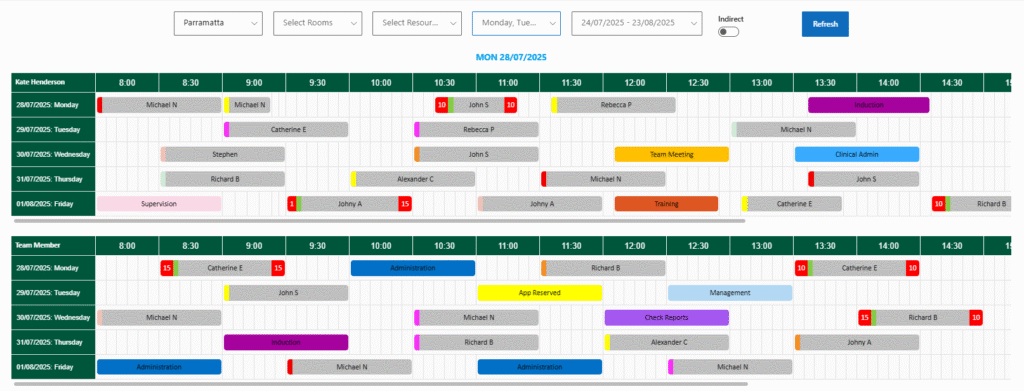
NDIS Scheduling is a purpose-built scheduling extension developed on Microsoft Dynamics 365, tailored exclusively for NDIS service providers. It’s far more than just an advanced calendar—it’s a comprehensive, intelligent appointment management solution that empowers providers to manage complex bookings, staff availability, resource allocation, and NDIS-compliant workflows with ease.
Whether you manage onsite clinics, telehealth sessions, off-site visits, or internal staff events, NDIS Scheduling is designed to streamline and automate every aspect of appointment handling.
Watch demo
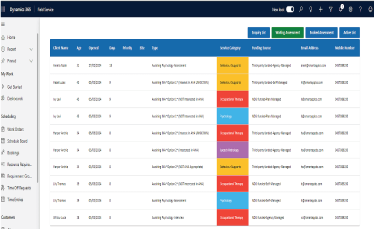
Advanced Scheduling
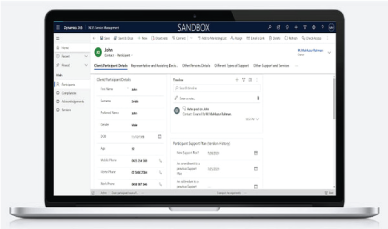
360 View of Appointments
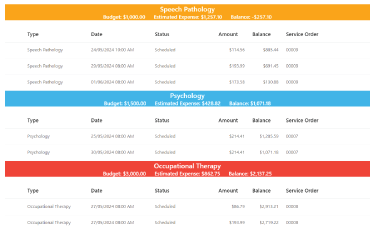
Recurring Appointments
Learn More About Our Services on NDIS Domain


Why Choose Our NDIS Scheduling?
- Tailored specifically for Australian NDIS compliance and workflows
- Seamless integration with Dynamics 365
- Efficient appointment scheduling across multiple locations and support staff
- Enhanced visibility across plans, budgets, service orders, and invoices
- Built-in cancellation policy logic following NDIS rules
- Designed to handle the complexity of individual client plans and funding structures
Key Features of NDIS Scheduling
We have built our scheduling solution on a comprehensive cloud CRM based on Dynamics 365 that offers the following associated features –
Advanced Filtering for Maximum Control
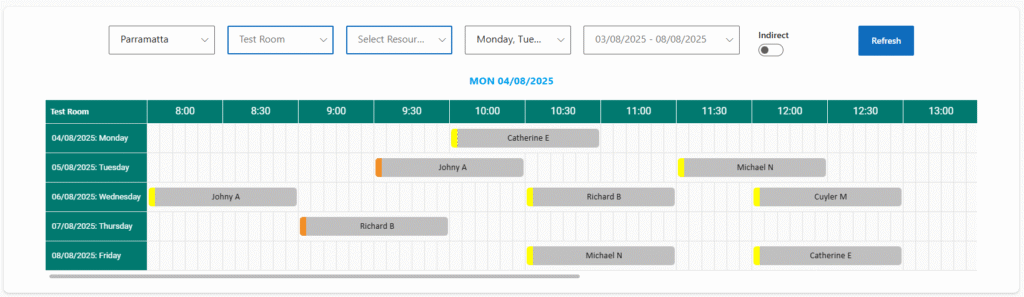
Find the right clinician or room at the right time with smart filtering. Users can filter available appointments by:
- Sites/Clinics: Easily manage scheduling across multiple provider locations.
- Support Workers and Clinicians: Match clients with qualified professionals with available slots.
- Weekdays and Dates: View and book based on day-specific availability.
- Rooms: For onsite or clinic-based appointments, ensure room availability and prevent double bookings.
This multi-layered filtering ensures precision scheduling, reducing administrative errors and increasing booking efficiency.
Schedule All Types of Appointments and Events
NDIS Scheduling supports both client-facing appointments and indirect (internal) events such as meetings or staff sessions. You can create, manage, and view:
- One-on-one or group client appointments
- Internal meetings/events such as staff training sessions, internal team meetings, administration, planning events, etc.
- Staff’s sick leave and annual leave
Both client appointments and internal events are managed from the same centralized calendar, giving teams a single, unified scheduling interface.
Intuitive Colour Prompts for Instant Clarity
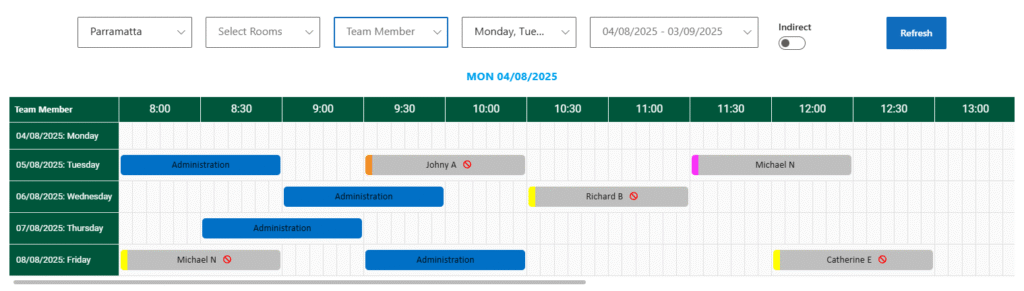
Each appointment and event type comes with a designated color-coded label. This makes it easier for users to visually scan the calendar and instantly understand the nature of scheduled items.
Distinguishing colors are assigned for appointments with various types such as off-site, on-site, telehealth, report writing, resource development, email, phone, etc. Color prompts also apply to indirect events such as administration, annual leave, training, check reports, clinician admin, induction, management, planning, session notes, sick leave, etc.
This intuitive color system enhances user experience and eliminates confusion, especially when managing high volumes of daily schedules.
Precision Scheduling with 5-Minute Time Blocks
The calendar is intelligently divided into 5-minute slots, enabling highly flexible scheduling. These micro-units can be combined into:
- 30-minute sessions
- 1-hour sessions
- Or any custom duration
This feature is ideal for providers who need flexibility in appointment lengths, especially for clients with varying support needs.
Bulk Booking with Smart Replication
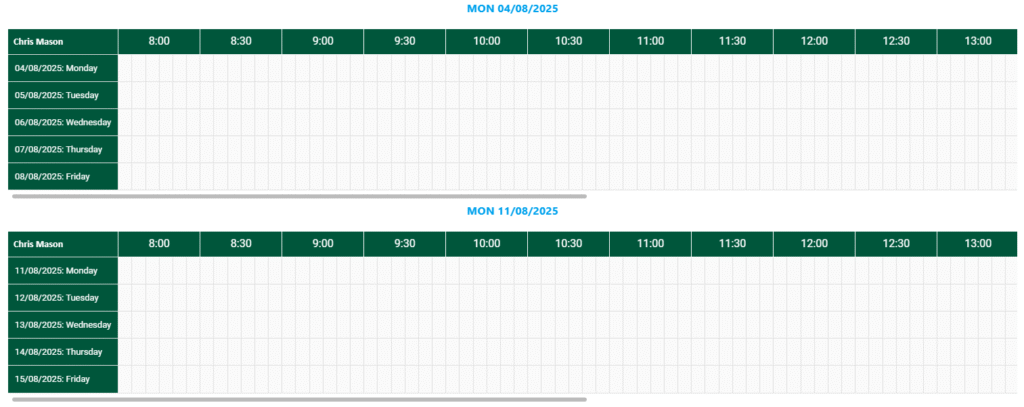
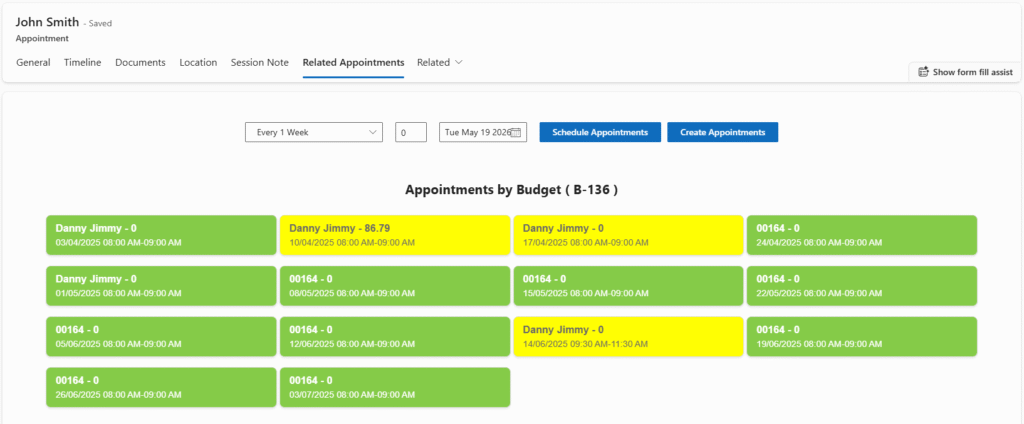
NDIS Scheduling introduces a Bulk Booking Tool that lets users clone an appointment into multiple appointments across a range of dates.
Just set the following:
- Start time and end time
- Duration
- Assigned support worker or clinician
- Recurrence frequency (daily, weekly, or monthly)
- Number of appointments to generate
Before creation, the system checks for availability, ensuring zero double-booking and maximum efficiency. It’s ideal for setting recurring appointments over a plan or budget period in just a few clicks.
Plan & Budget Alignment
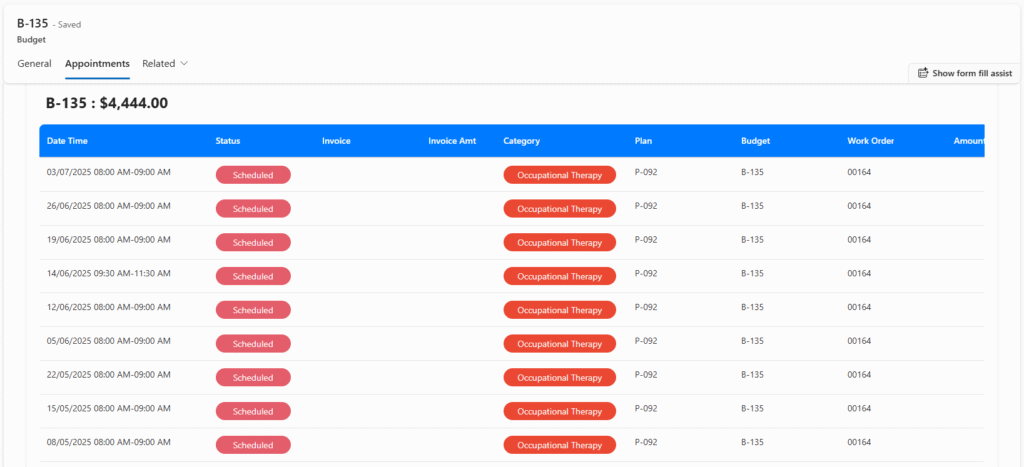
NDIS Scheduling is tightly integrated with NDIS Plans and Budgets, ensuring every appointment aligns with a client’s approved funding and timeline.
The calendar correctly reflects plans’ duration and associated budgets.
During bulk bookings or even single entries, the system automatically flags issues such as:
- Booking outside plan validity/duration
- Budget overuse
If a proposed appointment conflicts with funding limits or plan expiry, it’s highlighted (e.g., with a red warning), helping teams stay compliant and avoid over-servicing.
Smart Cancellation Policy Handling
NDIS has specific rules about appointment cancellations. Our solution automates this logic with precision:
- The calendar complies with NDIS’s Short Notice Cancellation or any other cancellation policies. If a client cancels within business days set by NDIS, the cancellation is billable and marked with a distinct symbol in the calendar
- If cancelled outside the stipulated business day window, it’s considered non-billable and automatically removed from the calendar—freeing the slot for new appointments
This built-in feature ensures you remain aligned with NDIS cancellation policies, reduce revenue leakage, and optimise workforce availability.
360-Degree Visibility Across Dynamics 365
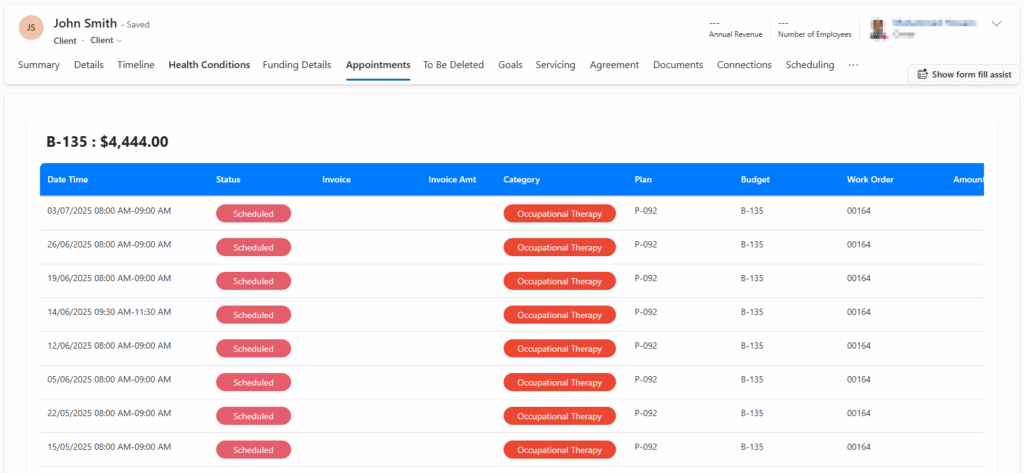
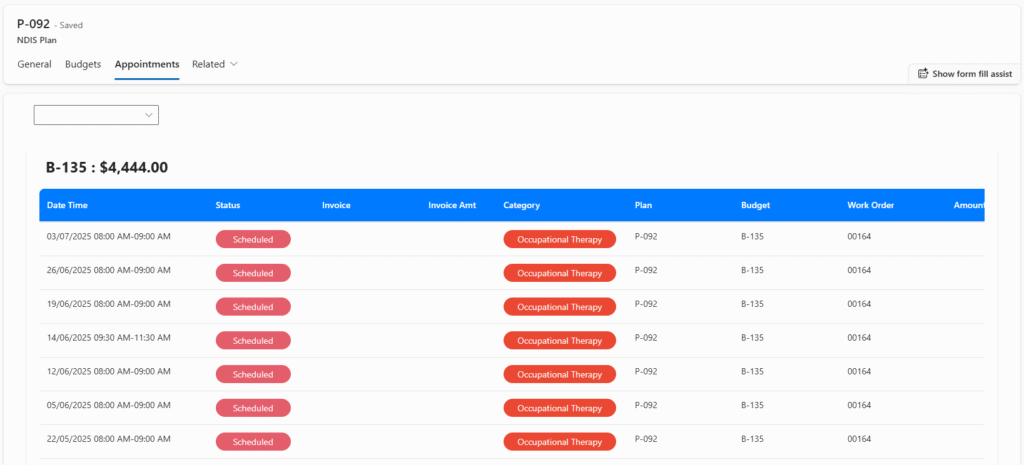
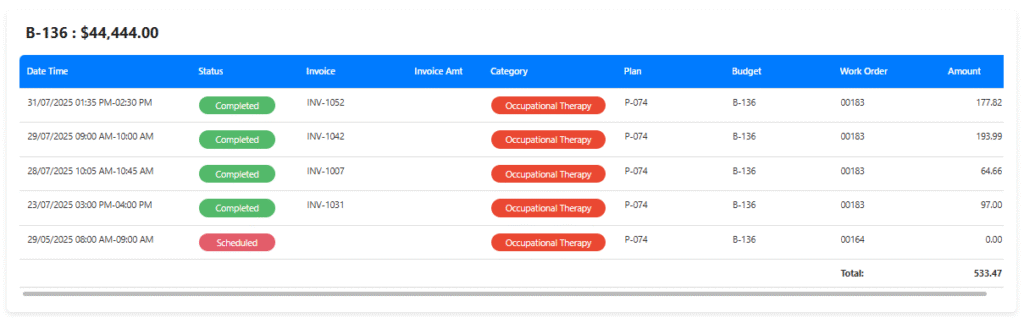
Appointments aren’t just visible on a calendar—they’re deeply linked throughout the Dynamics 365 Field Service ecosystem. As appointments are linked to Client records, Service Orders, Plans and Budgets, and Invoices, users can quickly view related appointments from any of these records, and navigate via clickable links. Each appointment includes direct references to client, service order, associated plan and budget used.
This tight connectivity ensures a seamless user experience and makes it easier for providers to track service history, funding, and care delivery across the board.
Built for the Real-World Needs of NDIS Providers
NDIS Scheduling is more than software—it’s a productivity engine built on industry knowledge, lived experience, and deep understanding of the Australian NDIS sector. Whether you’re managing a single clinic or a multi-site operation with hundreds of appointments each week, our solution scales with you. It helps reduce manual tasks, increases scheduling accuracy, ensures compliance, and gives your teams more time to focus on what matters most—providing high-quality, client-centric support.
Ready to Transform the Way You Schedule?
NDIS Scheduling for Dynamics 365 Field Service is the smart, flexible, and compliant way to manage appointments across your NDIS operation. Book a demo today or contact us to learn how we can tailor it to your unique service model.
- Frequently Asked Questions
Advanced Scheduling for Dynamics 365 is an intelligent appointment management solution that extends the standard scheduling capabilities of Microsoft Dynamics 365 Field Service. It provides advanced features such as recurring appointments, resource allocation, room scheduling, intelligent filtering, conflict detection, colour-coded calendars, and automated scheduling workflows. It is designed for organisations that require more flexibility and control than the standard Dynamics 365 Schedule Board.
NDIS Scheduling in Dynamics 365 is a specialised scheduling solution built on Microsoft Dynamics 365 Field Service for Australian NDIS providers. It helps organisations manage participant appointments, clinicians, support workers, clinics, plans, budgets, service orders, and invoices from a single integrated platform while supporting NDIS compliance and operational efficiency.
The standard Dynamics 365 Field Service Schedule Board offers essential scheduling functionality, but many organisations require more advanced capabilities. Advanced Scheduling for Dynamics 365 provides enhanced features including:
- Intelligent appointment filtering
- Recurring appointment management
- Multi-clinic scheduling
- Room allocation
- Resource availability management
- Smart cancellation handling
- Plan and budget validation
- Integration with NDIS workflows
These additional capabilities make scheduling faster, more accurate, and easier to manage.
Yes. Advanced Scheduling for Dynamics 365 has been specifically designed to meet the operational requirements of Australian NDIS providers. It supports participant scheduling, clinician availability, recurring services, telehealth appointments, cancellation policies, funding validation, and multi-site appointment management while integrating seamlessly with Microsoft Dynamics 365.
NDIS Scheduling in Dynamics 365 includes a comprehensive range of appointment management features, including:
- Advanced appointment scheduling
- Recurring appointments
- Multi-site and multi-clinic scheduling
- Support worker and clinician scheduling
- Room booking management
- Colour-coded appointment calendar
- Bulk appointment creation
- Smart cancellation management
- NDIS Plan and Budget validation
- Integration with Service Orders and Invoices
- Real-time appointment visibility
NDIS Field Service in Dynamics 365 combines Microsoft Dynamics 365 Field Service with purpose-built scheduling capabilities designed for NDIS providers. It enables organisations to manage participant appointments, allocate clinicians and support workers, schedule onsite and telehealth services, monitor staff availability, and maintain complete visibility across service delivery while ensuring appointments remain linked to client records, plans, budgets, and invoices.
Yes. Advanced Scheduling for Dynamics 365 includes intelligent recurring appointment management. Users can quickly create daily, weekly, or monthly appointments, automatically check resource availability, avoid scheduling conflicts, and generate multiple appointments in just a few clicks, reducing manual administration.
Yes. Advanced Scheduling for Dynamics 365 is designed for organisations operating across multiple clinics, offices, or service locations. Users can filter appointments by clinic, room, clinician, support worker, date, or service type, making it easy to manage complex scheduling requirements from one central calendar.
Yes. NDIS Scheduling in Dynamics 365 automatically checks clinician availability, room allocation, and existing appointments before confirming a booking. This helps prevent double bookings, improves resource utilisation, and reduces scheduling errors.
Advanced Scheduling for Dynamics 365 helps providers comply with NDIS operational requirements by supporting cancellation policy management, appointment validation against participant plans and budgets, funding period checks, service tracking, and complete visibility across appointments, service orders, and invoices. These features help reduce administrative errors while supporting accurate service delivery and billing.
Yes. NDIS Field Service in Dynamics 365 integrates seamlessly with other Microsoft Dynamics 365 applications, including Customer Service, Sales, Finance, and Power Platform. It also connects appointments with participant records, NDIS Plans, Budgets, Service Orders, and Invoices, providing a unified view of service delivery across the organisation.
Smart App Business Solutions has developed Advanced Scheduling for Dynamics 365 specifically for Australian NDIS providers. The solution combines the power of Microsoft Dynamics 365 Field Service with industry-specific scheduling capabilities, helping organisations improve appointment management, optimise resource utilisation, maintain NDIS compliance, and deliver better outcomes for participants.