Purpose-Built Appointment Management for Australian NDIS Providers
Managing appointments across multiple sites/clinics, clinicians, and services is a daily challenge for NDIS service providers in Australia. There are many scheduling software in the market. They offer good features, but there not good enough to meet the requirements of NDIS providers. For example, the out-of-the-box Dynamics 365 Field Service Schedule Board offers great features—but it falls short in addressing the specific needs of NDIS operations, compliance rules, and clinic flexibility. That’s where NDIS Scheduling comes in.
NDIS Scheduling is a purpose-built scheduling extension developed on Microsoft Dynamics 365, tailored exclusively for NDIS service providers. It’s far more than just an advanced calendar—it’s a comprehensive, intelligent appointment management solution that empowers providers to manage complex bookings, staff availability, resource allocation, and NDIS-compliant workflows with ease.
Whether you manage onsite clinics, telehealth sessions, off-site visits, or internal staff events, NDIS Scheduling is designed to streamline and automate every aspect of appointment handling.
Tailored specifically for Australian NDIS compliance and workflows
Seamless integration with Dynamics 365
Efficient appointment scheduling across multiple locations and support staff
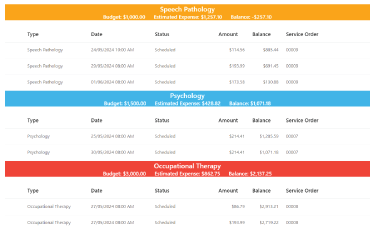
Enhanced visibility across plans, budgets, service orders, and invoices
Built-in cancellation policy logic following NDIS rules
Designed to handle the complexity of individual client plans and funding structures
Key Features of NDIS Scheduling
We have built our scheduling solution on a comprehensive cloud CRM based on Dynamics 365 that offers the following associated features –
Advanced Filtering for Maximum Control
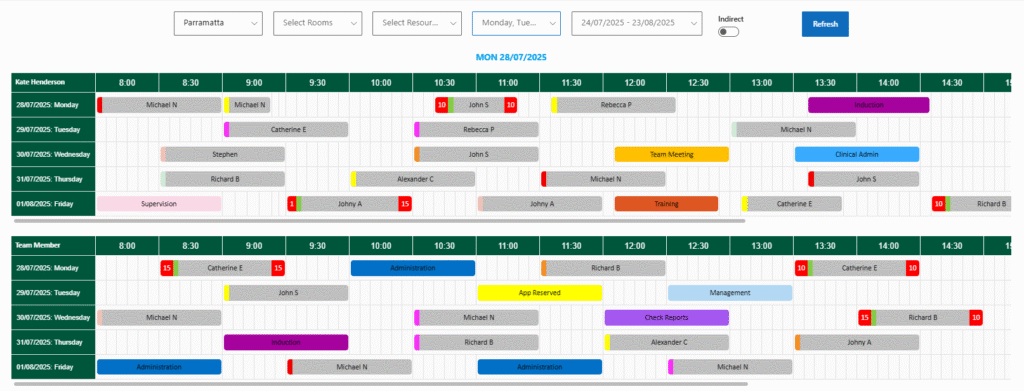
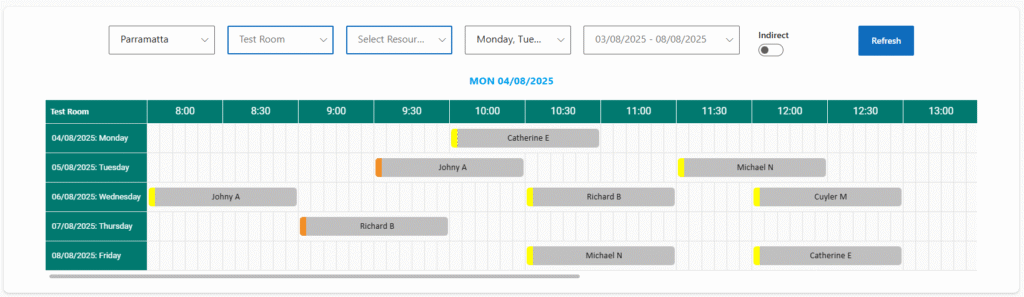
Find the right clinician or room at the right time with smart filtering. Users can filter available appointments by:
Sites/Clinics: Easily manage scheduling across multiple provider locations.
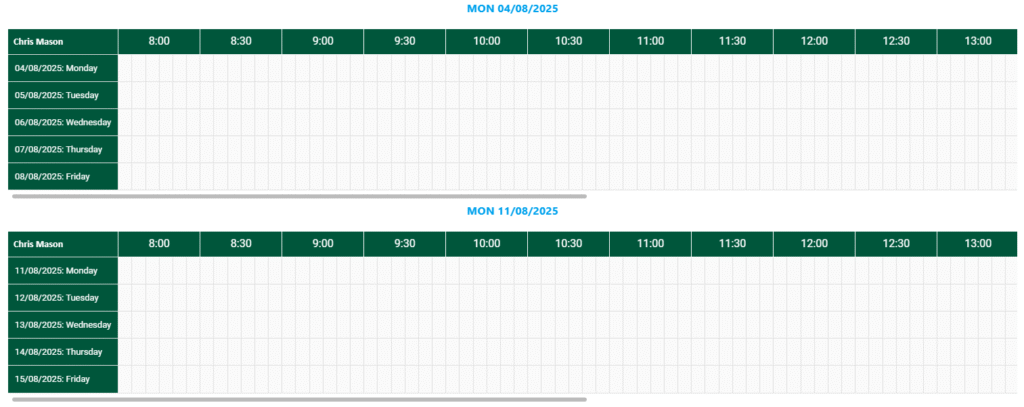
Support Workers and Clinicians: Match clients with qualified professionals with available slots.
Weekdays and Dates: View and book based on day-specific availability.
Rooms: For onsite or clinic-based appointments, ensure room availability and prevent double bookings.
This multi-layered filtering ensures precision scheduling, reducing administrative errors and increasing booking efficiency.
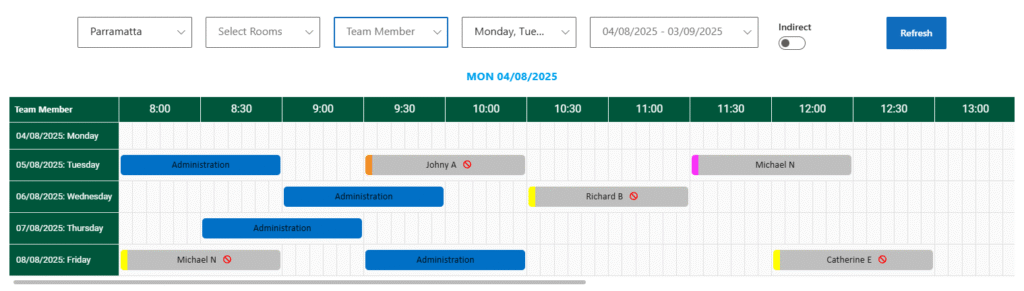
Scheduling Rooms
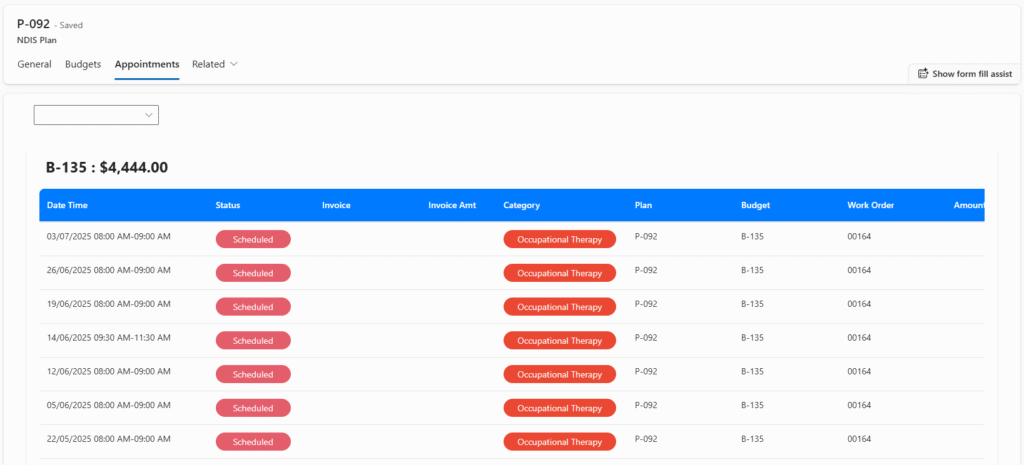
Appointments by Plan
Schedule All Types of Appointments and Events
NDIS Scheduling supports both client-facing appointments and indirect (internal) events such as meetings or staff sessions. You can create, manage, and view:
One-on-one or group client appointments
Internal meetings/events such as staff training sessions, internal team meetings, administration, planning events, etc.
Staffs’ sick leave and annual leave
Both client appointments and internal events are managed from the same centralized calendar, giving teams a single, unified scheduling interface.
Intuitive Colour Prompts for Instant Clarity
Each appointment and event type comes with a designated color-coded label. This makes it easier for users to visually scan the calendar and instantly understand the nature of scheduled items.
Distinguishing colors are assigned for appointments with various types such as off-site, on-site, telehealth, report writing, resource development, email, phone, etc. Color prompts also apply to indirect events such as administration, annual leave, training, check reports, clinician admin, induction, management, planning, session notes, sick leave, etc.
This intuitive color system enhances user experience and eliminates confusion, especially when managing high volumes of daily schedules.
Precision Scheduling with 5-Minute Time Blocks
The calendar is intelligently divided into 5-minute slots, enabling highly flexible scheduling. These micro-units can be combined into:
30-minute sessions
1-hour sessions
Or any custom duration
This feature is ideal for providers who need flexibility in appointment lengths, especially for clients with varying support needs.
5 Minute Block
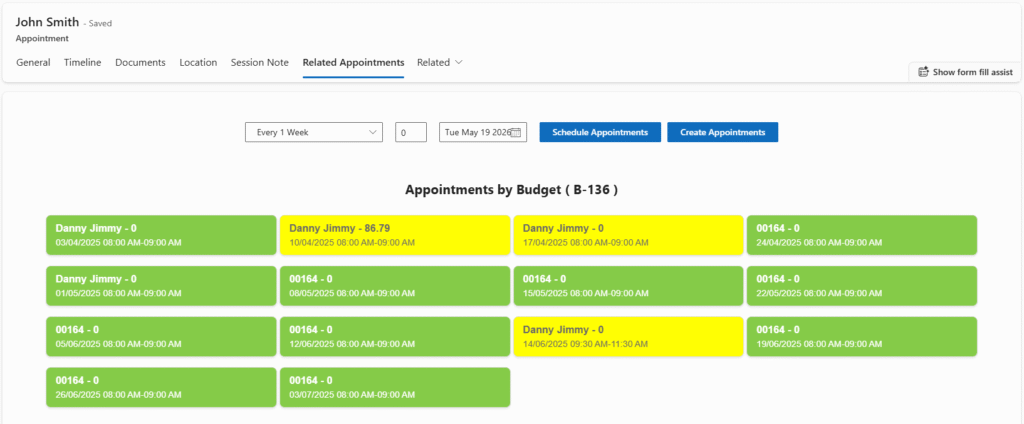
Related Appointments
Bulk Booking with Smart Replication
NDIS Scheduling introduces a Bulk Booking Tool that lets users clone an appointment into multiple appointments across a range of dates.
Just set the following:
Start time and end time
Duration
Assigned support worker or clinician
Recurrence frequency (daily, weekly, or monthly)
Number of appointments to generate
Before creation, the system checks for availability, ensuring zero double-booking and maximum efficiency. It’s ideal for setting recurring appointments over a plan or budget period in just a few clicks.
Plan & Budget Alignment
NDIS Scheduling is tightly integrated with NDIS Plans and Budgets, ensuring every appointment aligns with a client’s approved funding and timeline.
The calendar correctly reflects plans’ duration and associated budgets.
During bulk bookings or even single entries, the system automatically flags issues such as:
Booking outside plan validity/duration
Budget overuse
If a proposed appointment conflicts with funding limits or plan expiry, it’s highlighted (e.g., with a red warning), helping teams stay compliant and avoid over-servicing.
Appointments by Budget
Smart Cancellation
Smart Cancellation Policy Handling
NDIS has specific rules about appointment cancellations. Our solution automates this logic with precision:
The calendar complies with NDIS’s Short Notice Cancellation or any other cancellation polices. If a client cancels within business days set by NDIS, the cancellation is billable and marked with a distinct symbol in the calendar
If cancelled outside the stipulated business day window, it’s considered non-billable and automatically removed from the calendar—freeing the slot for new appointments
This built-in feature ensures you remain aligned with NDIS cancellation policies, reduce revenue leakage, and optimise workforce availability.
360-Degree Visibility Across Dynamics 365
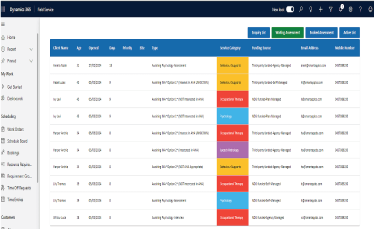
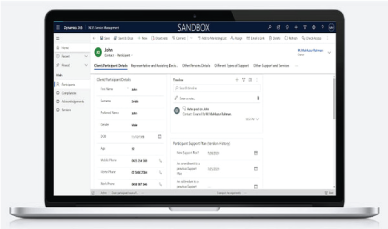
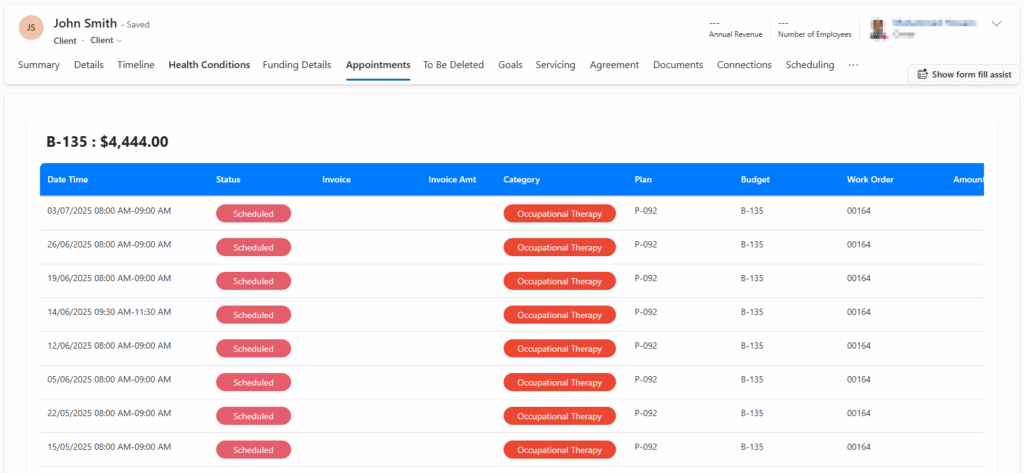
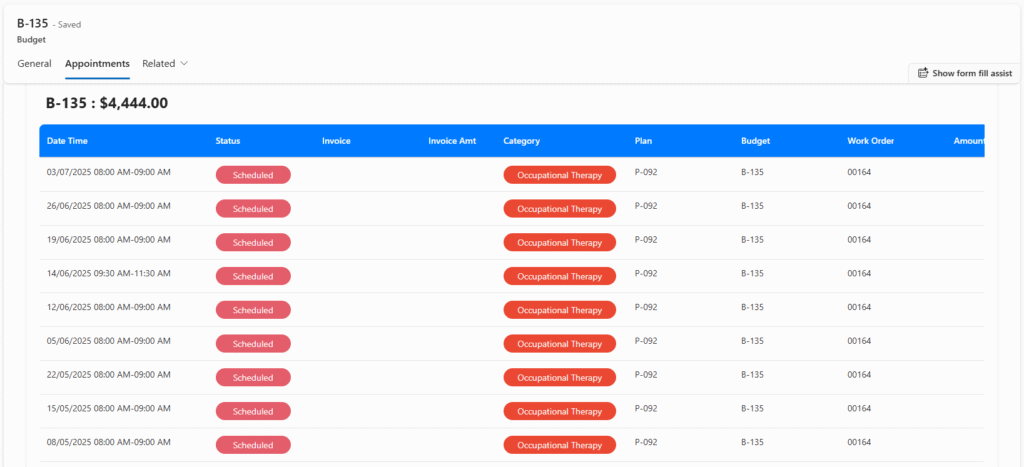
Appointments aren’t just visible on a calendar—they’re deeply linked throughout the Dynamics 365 Field Service ecosystem. As appointments are linked to Client records, Service Orders, Plans and Budgets, and Invoices, users can quickly view related appointments from any of these records, and navigate via clickable links. Each appointment includes direct references to client, service order, associated plan and budget used.
This tight connectivity ensures a seamless user experience and makes it easier for providers to track service history, funding, and care delivery across the board.
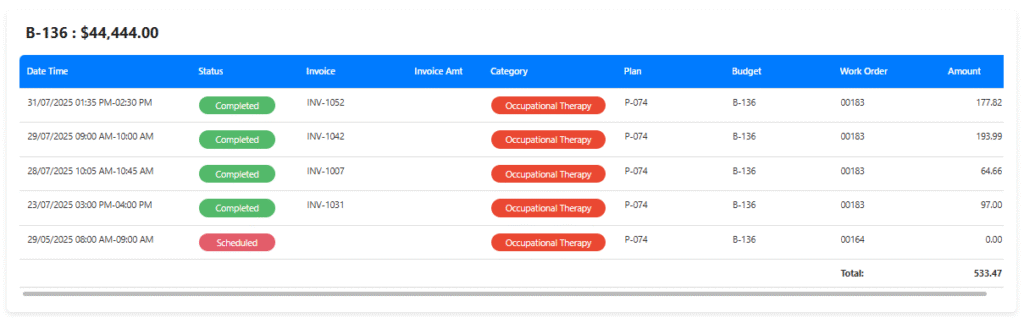
Total Cost of Appointments
Built for the Real-World Needs of NDIS Providers
NDIS Scheduling is more than software—it’s a productivity engine built on industry knowledge, lived experience, and deep understanding of the Australian NDIS sector. Whether you’re managing a single clinic or a multi-site operation with hundreds of appointments each week, our solution scales with you. It helps reduce manual tasks, increases scheduling accuracy, ensures compliance, and gives your teams more time to focus on what matters most—providing high-quality, client-centric support.
Ready to Transform the Way You Schedule?
NDIS Scheduling for Dynamics 365 Field Service is the smart, flexible, and compliant way to manage appointments across your NDIS operation. Book a demo today or contact us to learn how we can tailor it to your unique service model.