Stripe Integration with Microsoft Dynamics 365 CRM
NDIS Service Providers need to manage Participant, Representative, and Staff information and complete a huge number of forms. NDIS CRM in Power App helps NDIS Providers manage all information digitally and generate forms from data stored in the cloud. It also helps them store all communications and documents related to the participant.
Features of Stripe Integration with CRM
Bi-directional synchronization between Microsoft Dynamics 365 Sales and Stripe for contacts, customers, products, pricing and invoices.
Automated payment posting in Microsoft Dynamics 365 Sales when payment is made with Stripe.
Payment through email Payment link.
Instantly sync data to Stripe with one click.
Process Stripe batch charges for selected Invoices in CRM.
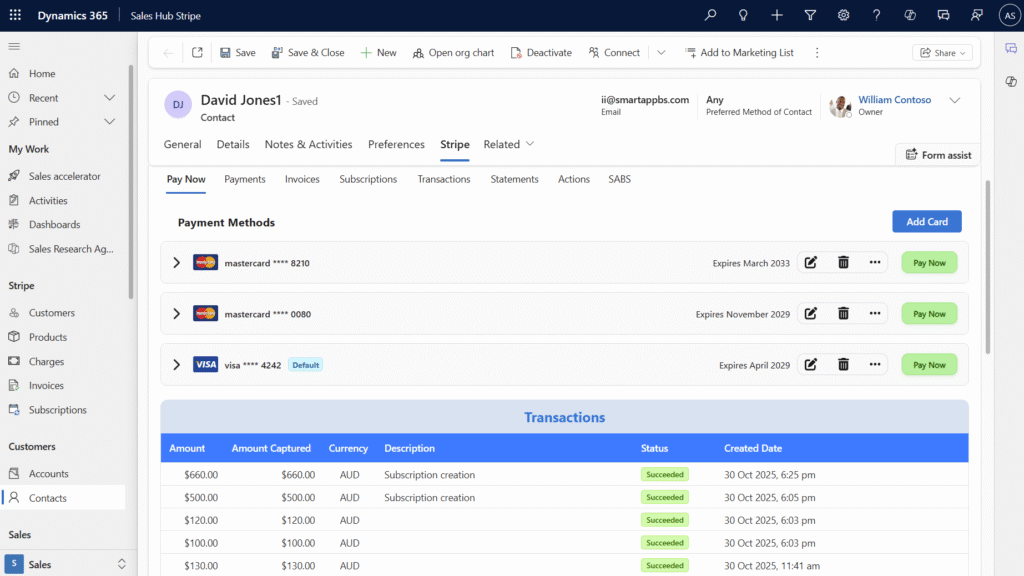
Register and securely save one or multiple cards per customer for future use.
View Saved Cards, add new Card and Pay from Saved Card.
Pay from any random card which is not saved.
View an attached file with email.
Directly pay from the customer’s card.
Directly pay from the contact's card.
Stripe pays the amount with GST & stripe fees.
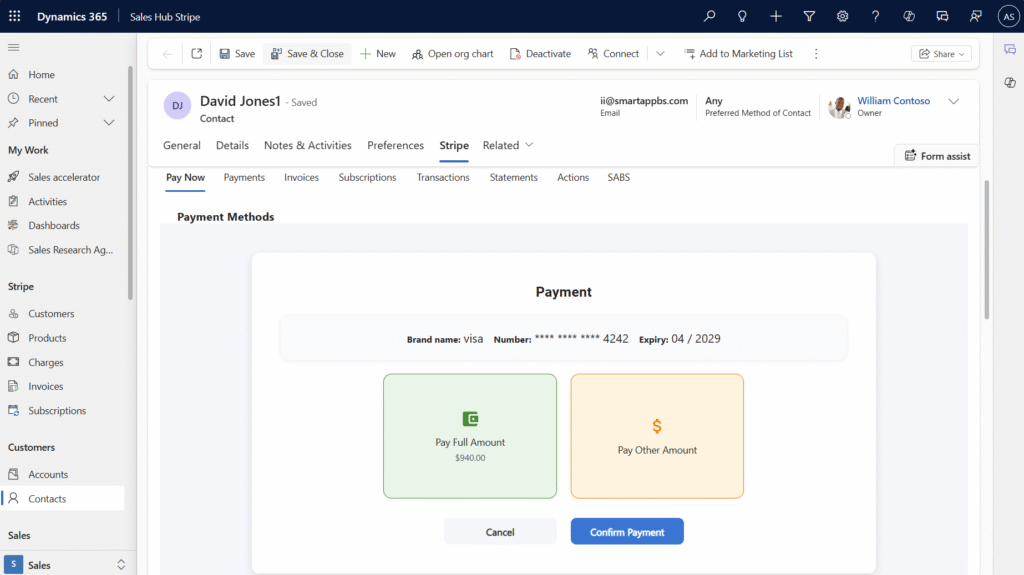
Pay Now tab for direct payments.
Flexible options to pay full or partial amounts using saved or new cards.
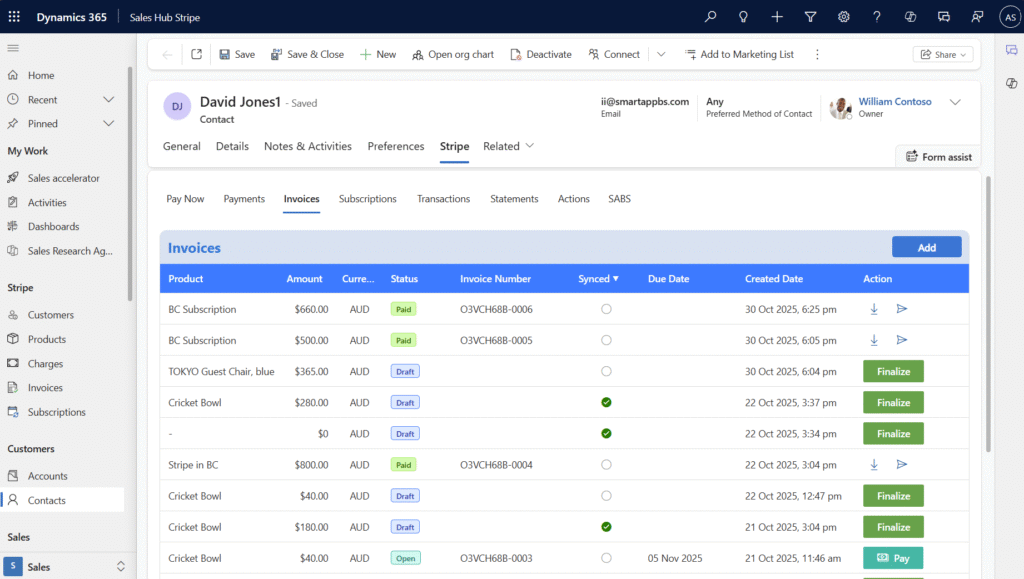
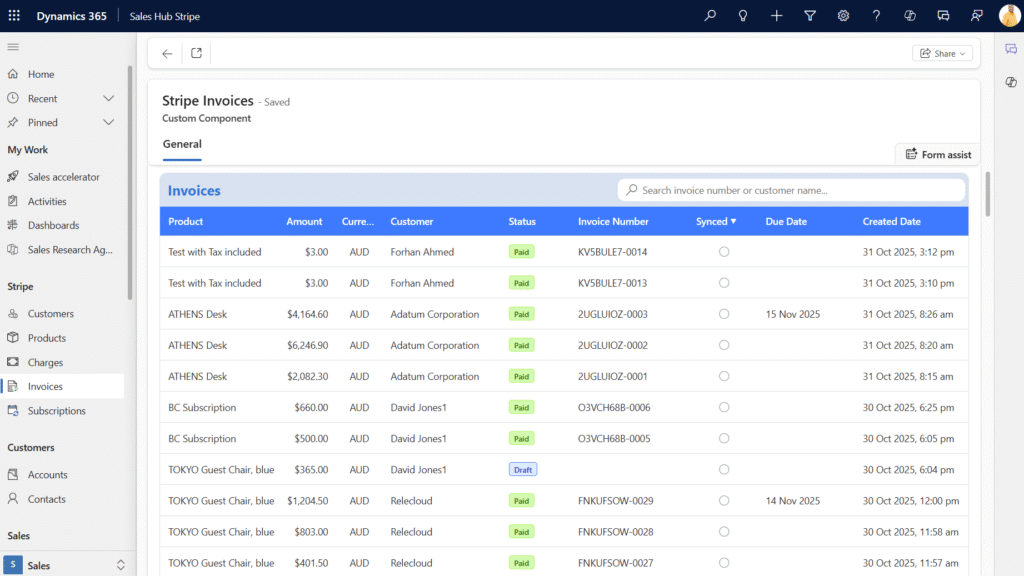
View detailed invoice records synced from Stripe.
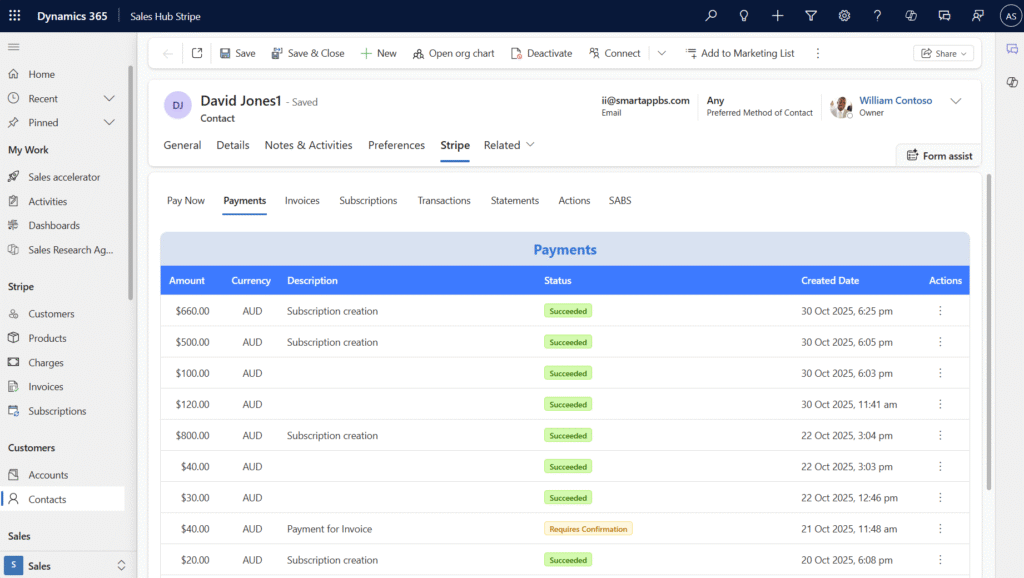
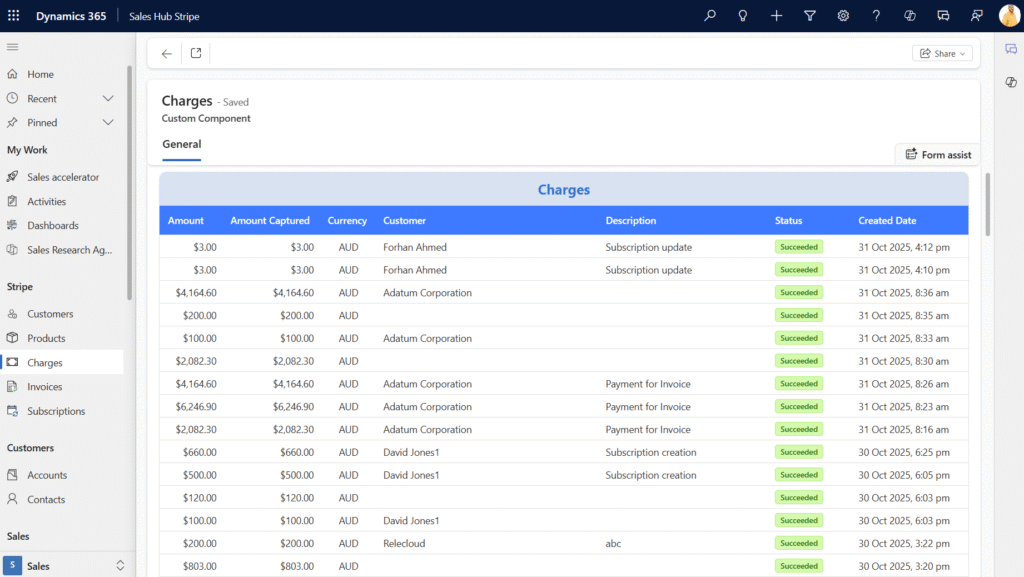
Payments: Instantly access a complete history of all Stripe payments with real-time status updates and transaction tracking.
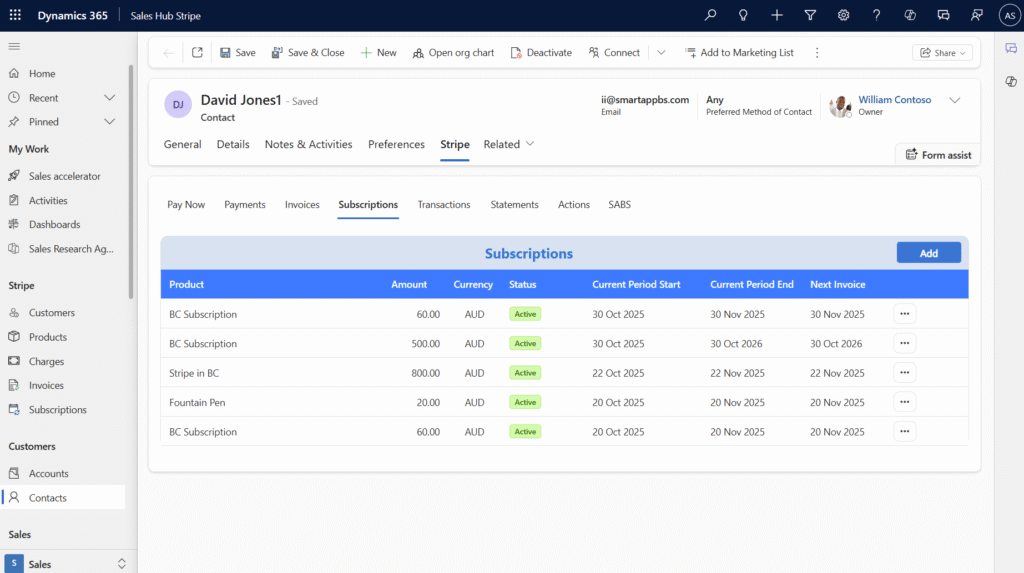
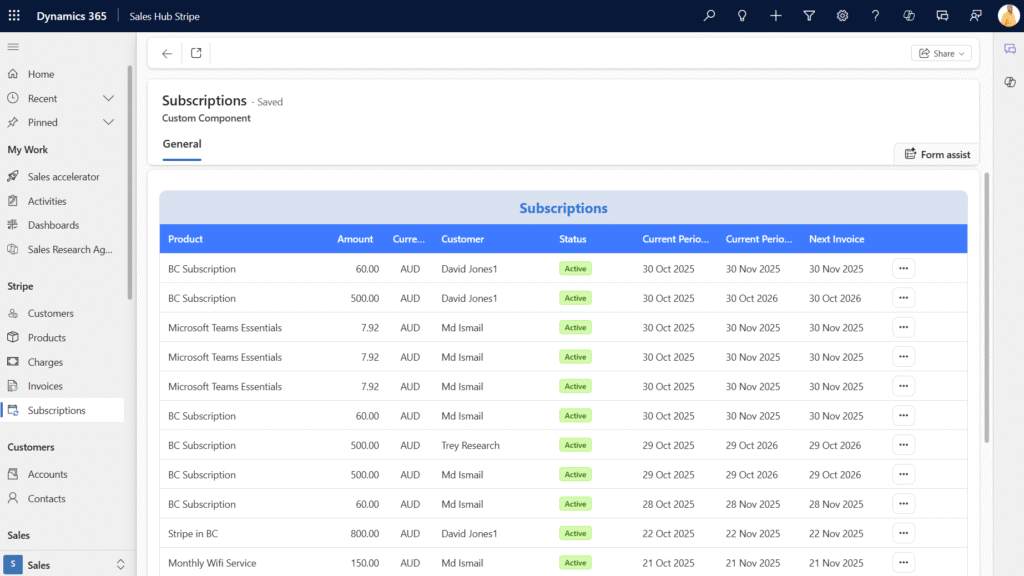
Monitor active subscriptions, edit existing plans, or add new recurring payment subscriptions directly from Dynamics 365 Sales—no need to switch platforms.
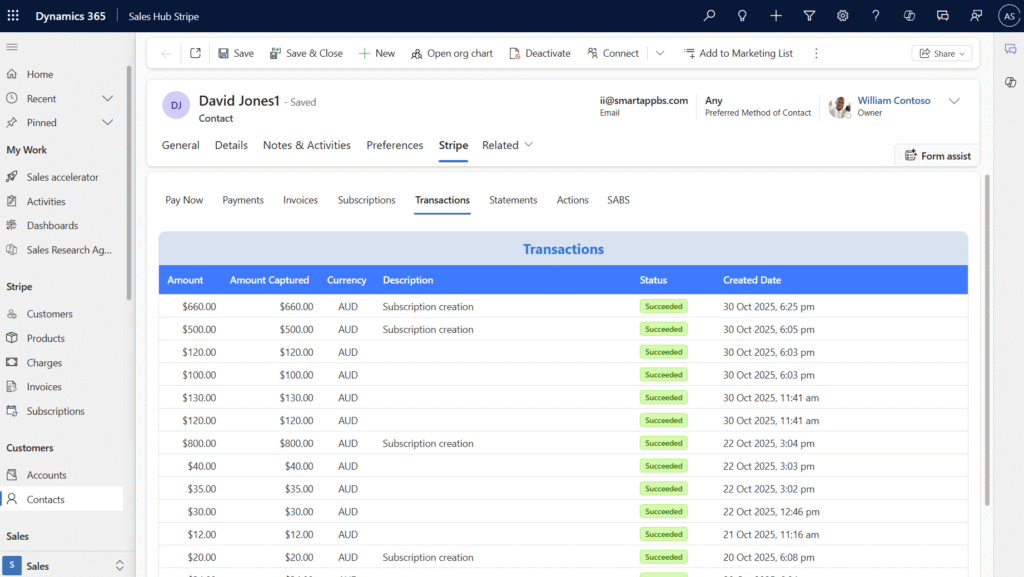
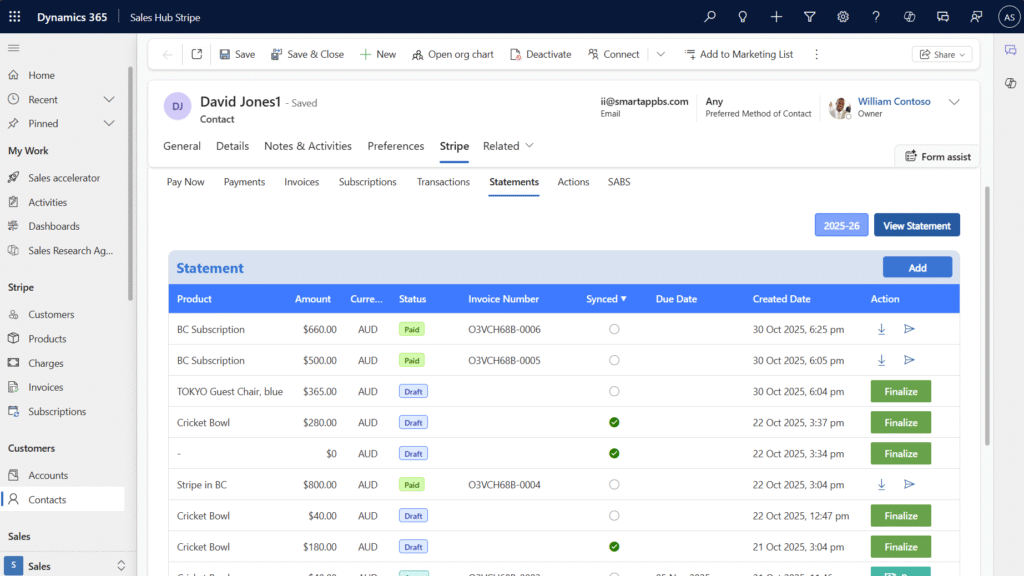
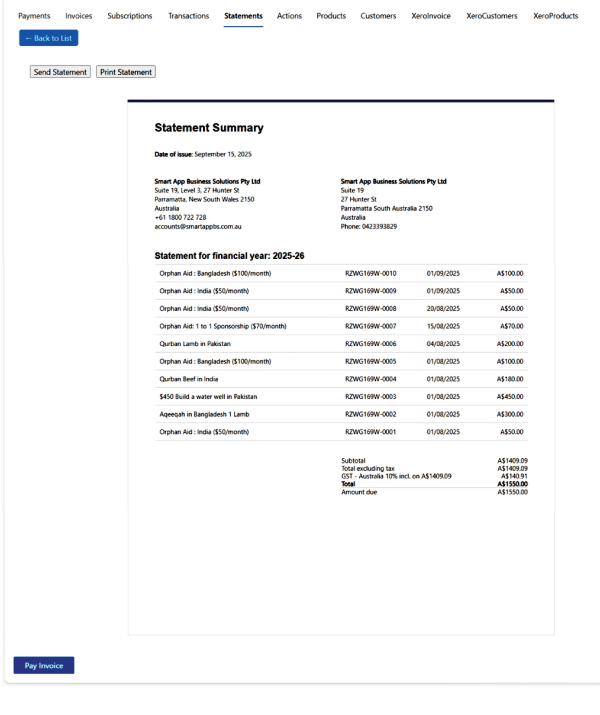
Browse full transaction history and financial statements.
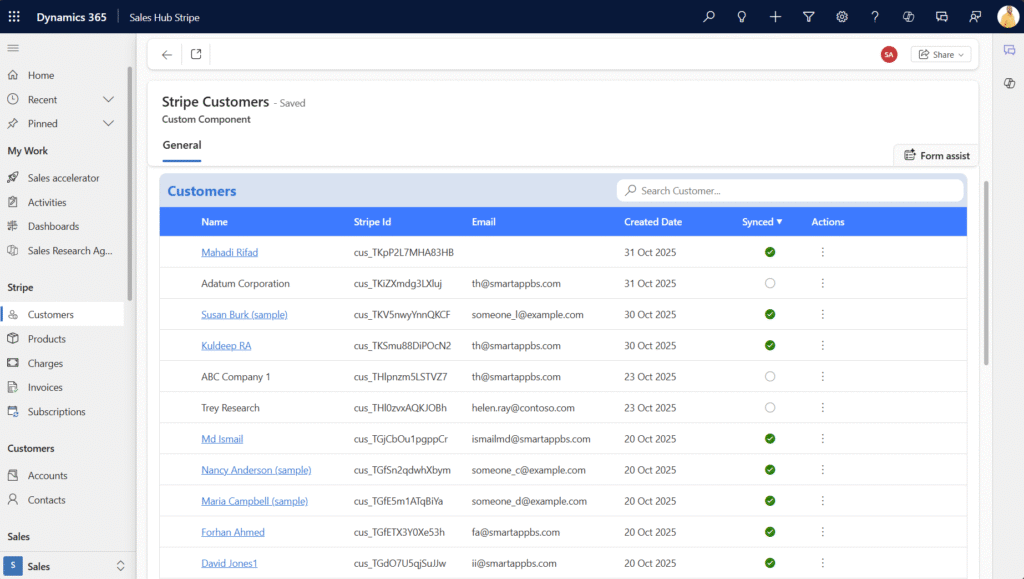
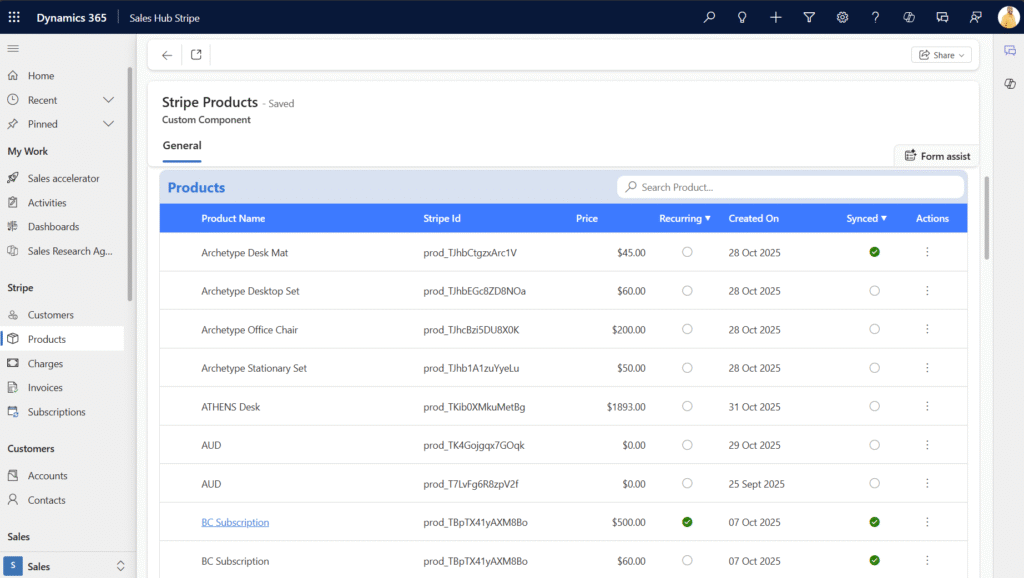
View synced customer and product records from Stripe with full search functionality.
Generate and email secure Stripe-hosted payment links directly from the CRM.
Option to choose from multiple registered cards or enter new card details for each payment.
After payment, the transaction are available in timeline of the for full traceability.
Multi-currency support for global payments depending on Stripe account configuration.
View real-time data pulled directly from Stripe: invoices, subscriptions, payments, etc., without needing to leave Dynamics 365.
Create or update Stripe subscriptions from within the CRM interface.
Multi-currency support for global payments depending on Stripe account configuration.
See it in the work
Pay Now
Payments
Invoices
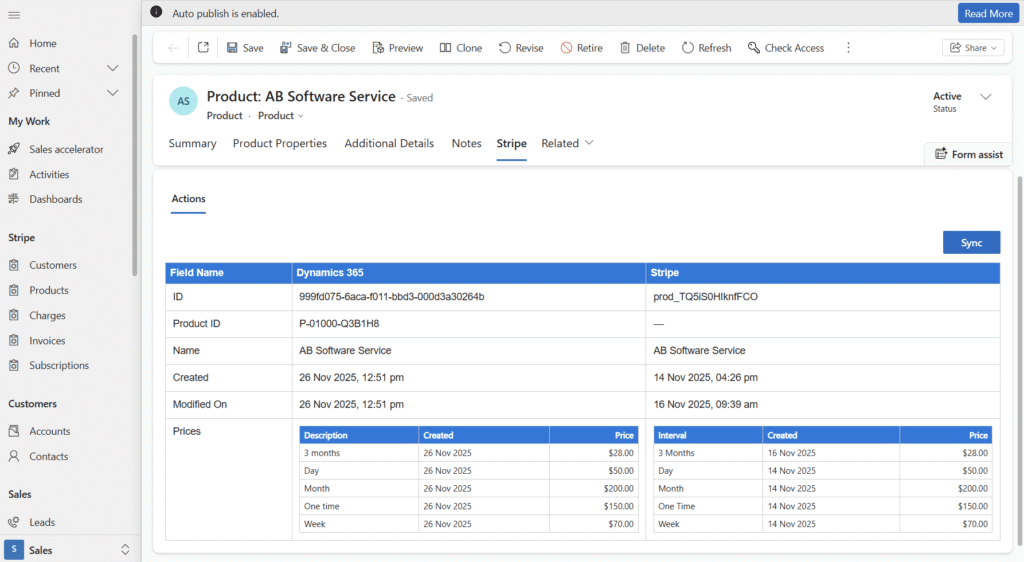
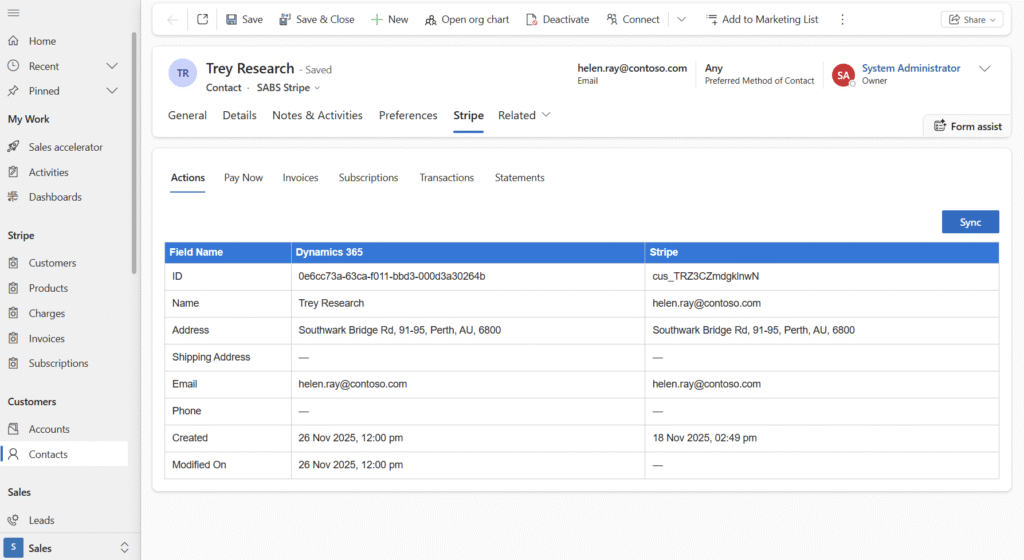
Side-by-side Invoice and Products view for Stripe and Dynamics 365
Subscriptions
Transactions
Statements
View Statement
Actions
Benefits of Using Stripe Integration in Dynamics 365
Automate payment and invoice workflows
Reduce manual data entry and reconciliation
Enhance billing accuracy and traceability
Manage subscriptions and recurring payments in one system
Enable real-time financial tracking and reporting
Improve customer experience with seamless payment options
View Stripe Products in Dynamics 365
View Stripe Charges in Dynamics 365
You can see your stripe activity on Dynamics 365 dashboard. Maintaining and controlling customer transactions become seamless from the dashboard. It shows customers over all activities such transactions, subscription, payment method, etc. in summary and details.
View Stripe Invoices in Dynamics 365
View Stripe Subscriptions in Dynamics 365
Dynamics 365 dashboard will get your Stripe data and other business data which will enable you to monitor, explore, and visualize your Stripe activity. Power BI will allow you to easily connect Stripe data and discover insights with the out-of-the box dashboard, reports, and data set especially curated for you. The dashboard will show beautifully designed reports with insights from events, charges, customers, invoices, etc.
Learn More about Stripe in Business Central and Watch demo
Smart App Business Solutionsis a Microsoft Gold Partner for multiple competencies. It is also Microsoft Dynamics partner and Microsoft reseller. For more information on Dynamics 365 and Stripe Integration, you can contact us on 1800 72 27 28 | [email protected]
Stripe Integration with Dynamics 365 connects your CRM to Stripe for automated payment processing, subscription management, and invoice synchronization.