- 1800 72 27 28
- [email protected]
- Suite 20, 27 Hunter Street, Parramatta NSW Australia

ISO 27001 Certified

Dynamics 365 Data Migration Tool for Microsoft CRM
A Robust Data Migration Tool
Moving business information into Microsoft Dynamics 365 requires careful planning, accurate field mapping, and reliable data validation. Smart App Business Solutions provides a Dynamics 365 Data Migration Tool to help organisations transfer data from legacy CRM systems, Excel, SQL Server, and other supported sources. Our tool supports structured migration, batch processing, error reporting, and rollback functionality to help manage migration issues. It is designed to preserve relationships between related records and reduce manual work throughout the migration process. Whether you are replacing an existing CRM or consolidating business data, our team can help assess your migration requirements and identify a suitable approach.
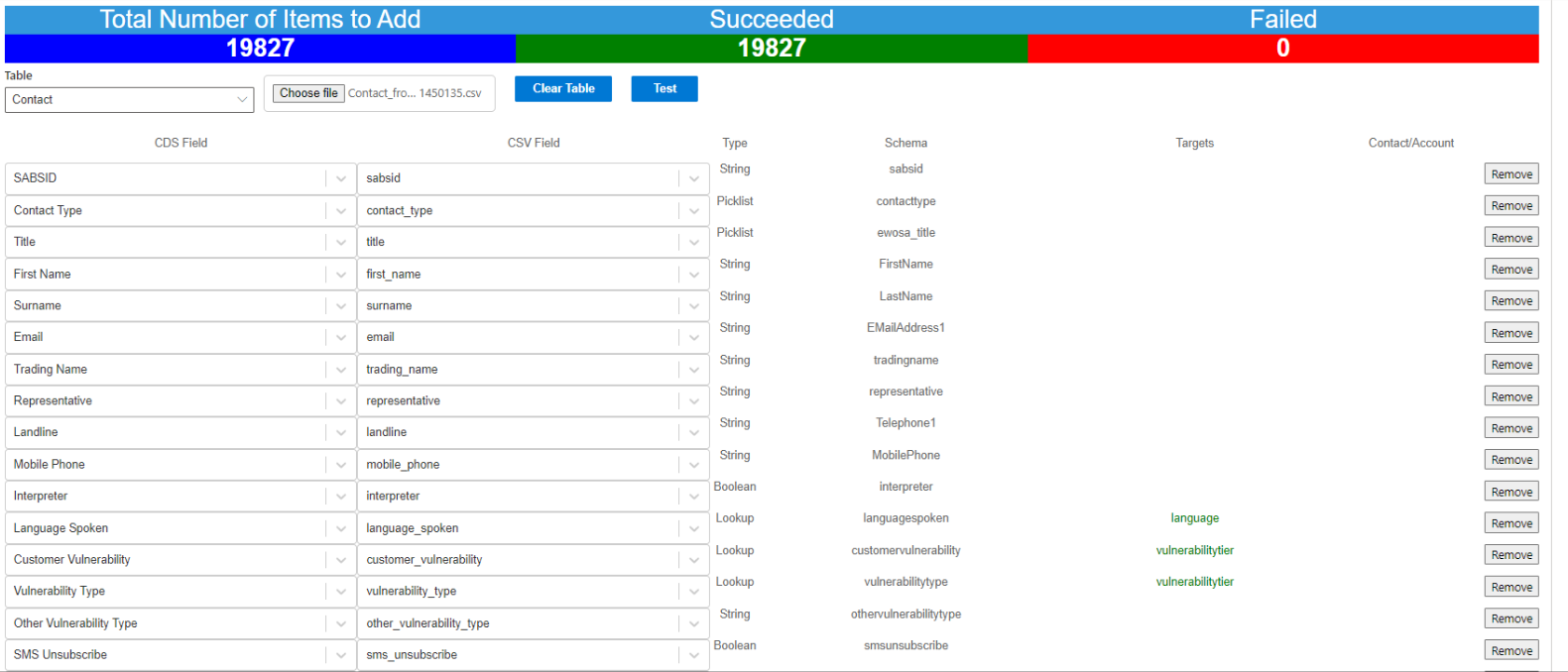
What Is a Data Migration Tool?
A data migration tool helps businesses transfer information from one system, database, or application to another. It supports activities such as field mapping, data validation, record importing, and error identification.
For organisations implementing Microsoft Dynamics 365, the right tool can help organise migration activities, reduce manual processing, and maintain consistency between source and destination systems.
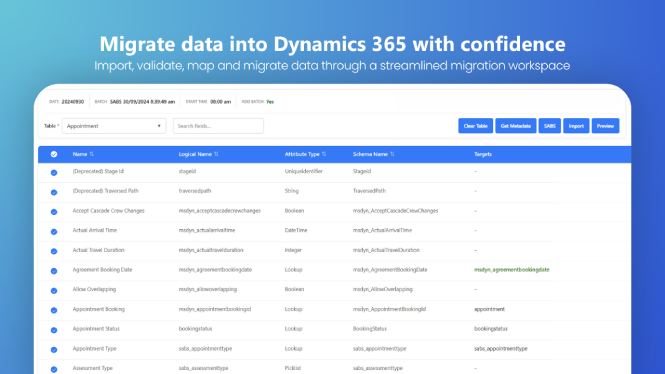
Key Features of Our Data Migration Tool

100% Data Accuracy

Maintains existing record relationships during migration

The migration is done on client site

The app can migrate data simultaneously from multiple tables

It requires no Azure application key

Admin user permission is not required

It eases data mapping to a greater extent

It keeps parent-child relationship intact

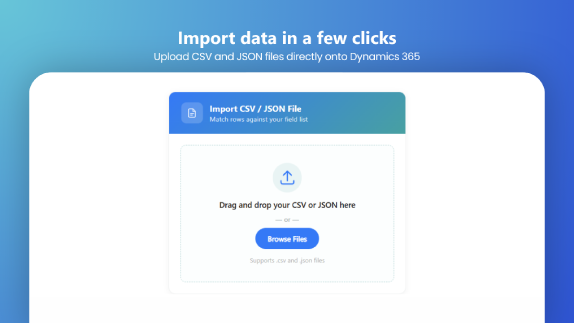
Supports migration from Excel, SQL Server, CSV, Access, legacy CRM systems, and other data sources
Customer Feedback
“Smart App Business Solutions have a very strong understanding of the data structures behind Microsoft Dynamics 365 and what was needed for us to successfully migrate our data into this new system. As part of our development we needed to migrate many years’ worth of existing data from our existing complex system, which required maintaining referential integrity across many tables and data types. For this Smart App Business Solutions have developed a custom data migration App and methodology that streamlines the process. I was able to use this App directly and I found it to be fast and user friendly, including the ability to roll-back and trouble shoot certain migration batches when needed.
It was a pleasure working with the team at Smart App Business Solutions who were very committed and attentive with their support. Their team are totally steadfast in their approach and always very responsive to any challenges encountered throughout the development process, which to me was a crucial factor towards achieving success.“
–Tom Winkler, Business Intelligence Analyst, Energy & Water Ombudsman SA
What Data Can You Migrate?
The data that can be migrated depends on your source system, destination environment, and project configuration. Supported migration scenarios may include:
- Customer and contact records.
- Accounts and related business information.
- Historical CRM records.
- Custom entities and tables.
- Lookup fields and supported complex data types.
- Related records that require parent-child relationships to be maintained.
Our team can review your data structure and migration objectives to determine which records and relationships can be supported.
How Our Data Migration Tool Works
Our migration process follows six practical steps to help manage data quality, record relationships, and migration progress.
Step 1: Assess Your Existing Data
We review your source system, data structure, record volumes, and business objectives to identify migration requirements and potential dependencies.
Step 2: Map Source and Destination Fields
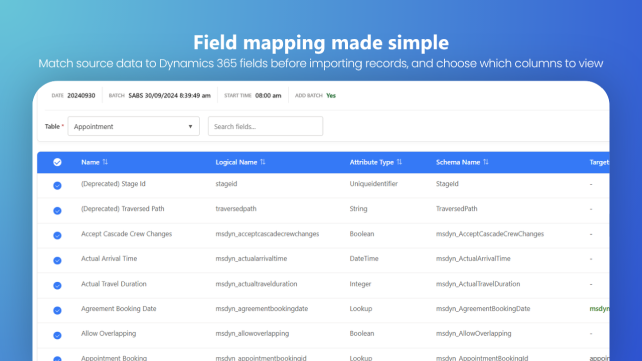
We map source fields to the appropriate Microsoft Dynamics 365 tables and fields, taking account of differences between the existing system and the destination environment.
Step 3: Validate Data and Relationships
We check relevant field formats, required values, lookup references, and related records to help identify issues before or during migration.
Step 4: Migrate Data in Batches
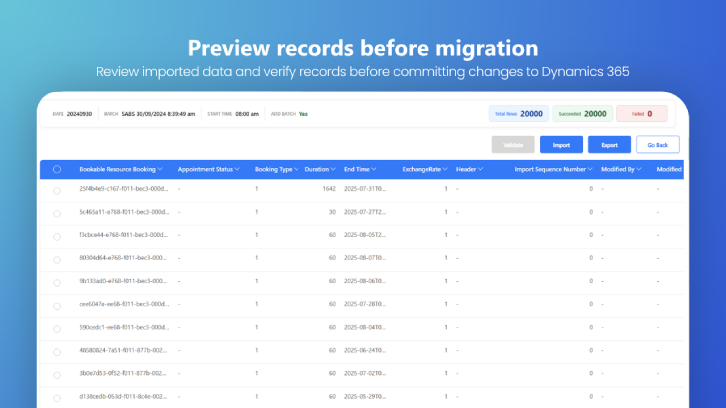
Records are processed in manageable batches so the migration team can monitor progress and investigate problems as they arise.
Step 5: Investigate and Resolve Errors
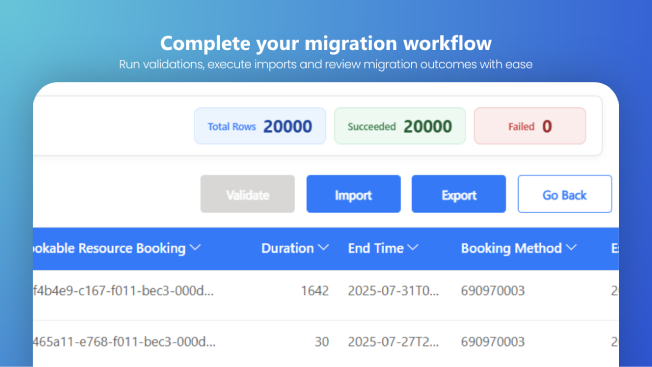
Detailed error information helps identify records that require attention. Where supported, batches can be rolled back to assist with troubleshooting and reprocessing.
Step 6: Verify the Migrated Records
We review migrated record counts, field values, and relationships against the agreed migration requirements to help confirm the results.
Data Migration from Excel, SQL Server, Legacy CRM and Other Systems
Our Dynamics 365 Data Migration Tool supports migration from different source systems, subject to compatibility and project requirements.
Excel and CSV Migration: Transfer structured spreadsheet data into Microsoft Dynamics 365 with appropriate field mapping.
SQL Server Migration: Move supported database records while accounting for field types, dependencies, and related data.
Legacy CRM Migration: Transfer historical information from supported CRM platforms into the target Dynamics 365 environment.
Dynamics CRM to Dynamics 365 Migration: Map existing CRM records to the relevant destination tables and fields.
Multiple-Source Migration: Consolidate compatible data from spreadsheets, databases, and other supported systems into a target environment.
The recommended migration approach depends on your existing applications, data quality, record volume, and destination configuration.
Why Choose Smart App Business Solutions?
Choosing a migration solution involves more than transferring records. Businesses also need to consider data relationships, troubleshooting, deployment, and the requirements of their target environment.
Smart App Business Solutions offers:
Microsoft Dynamics 365 expertise: Practical understanding of Dynamics 365 data structures and migration requirements.
Support for complex data: Assistance with supported custom tables, fields, lookups, and related records.
Migration control: Batch processing, error reporting, and rollback functionality for supported scenarios.
Flexible source systems: Migration options for compatible spreadsheets, databases, and legacy CRM platforms.
Project-focused guidance: Recommendations based on your current system, data volume, and migration objectives.
We can help you assess your migration requirements and plan an approach suited to your business environment.
Customer Experience: Energy and Water Ombudsman SA
Smart App Business Solutions developed a custom data migration application and methodology for Energy and Water Ombudsman SA (EWOSA) to support the transfer of many years of historical information from a complex system.
The project required careful handling of relationships across multiple tables and data types. The solution provided a more streamlined migration process, with rollback and troubleshooting capabilities to help manage migration batches.
Plan Your Dynamics 365 Data Migration
Every migration project has different requirements. Our team can help you evaluate your current system, identify supported data sources, and discuss the steps involved in moving your information into Microsoft Dynamics 365.
- Frequently Asked Questions
A Dynamics 365 Data Migration Tool is a software solution that helps organisations securely transfer data from legacy CRM systems, Excel, SQL Server, CSV files, and other business applications into Microsoft Dynamics 365. It automates data mapping, validation, and migration while preserving data integrity and relationships between records.
Data migration ensures that customer records, historical information, and business data are transferred accurately into Microsoft Dynamics 365. A successful migration improves data quality, supports business continuity, and helps organisations maximise the value of their Dynamics 365 investment.
Our tool supports data migration from a wide range of sources, including:
- Excel
- CSV files
- SQL Server
- Microsoft Access
- Legacy CRM systems
- Custom databases
- Other business applications
Yes. The tool supports both standard and custom Microsoft Dynamics 365 tables, making it suitable for organisations with customised Dynamics 365 environments.
Yes. The Dynamics 365 Data Migration Tool preserves parent-child relationships and referential integrity during migration, ensuring that related records remain correctly linked after the migration is complete.
Yes. The tool supports lookup fields, customer fields, choice fields, polymorphic lookups, currency fields, date fields, and other standard and custom Dynamics 365 data types.
Yes. Our tool is designed to handle large-scale migrations efficiently. It supports batch processing, allowing organisations to migrate millions of records while maintaining data accuracy and performance.
The tool provides detailed error logs to help identify and resolve issues quickly. It also includes rollback functionality, allowing migration batches to be reversed if necessary.
No. Our Dynamics 365 Data Migration Tool does not require Azure application keys, making the migration process simpler and easier to manage.
No. The tool is designed so that migrations can be performed without requiring administrator user permissions, depending on your organisation’s security configuration.
Yes. The tool is designed with security in mind to ensure data is migrated safely while maintaining data integrity and protecting sensitive business information throughout the migration process.