Many organisations still rely on email attachments or manually managed file-sharing processes when working with clients, contractors, suppliers, legal representatives, or external stakeholders. These methods often create security risks, version control issues, and unnecessary administrative overhead. Our Secure SharePoint Document Sharing solution provides a safer and more efficient way to share sensitive documents with external users anonymously — without requiring them to register or log into complex systems. Built on Microsoft Dynamics 365 Platform, the solution allows organisations to securely upload, share, request, and manage documents through time-limited links and verification-based access. No security inheritance is broken in SharePoint, and no link is created in SharePoint.
Modernise the way you securely exchange SharePoint documents with external users
Secure SharePoint Document Sharing with Anonymous Users
Why Traditional Document Sharing Creates Security Risks in Dynamics 365
Many organisations still depend on email attachments and public file-sharing links to exchange documents with external stakeholders. While convenient, these methods can expose sensitive information to unauthorised access, accidental sharing, and compliance risks.
Once a document is sent, organisations often lose visibility and control over who accesses, downloads, or forwards it. Traditional sharing methods can also create version control issues, increase administrative effort, and make it difficult to maintain secure collaboration.
The Dynamics 365 Secure Document Gateway provides a safer alternative, enabling organisations to securely share and request documents through controlled, verification-based access while maintaining governance and compliance.
Watch Demo
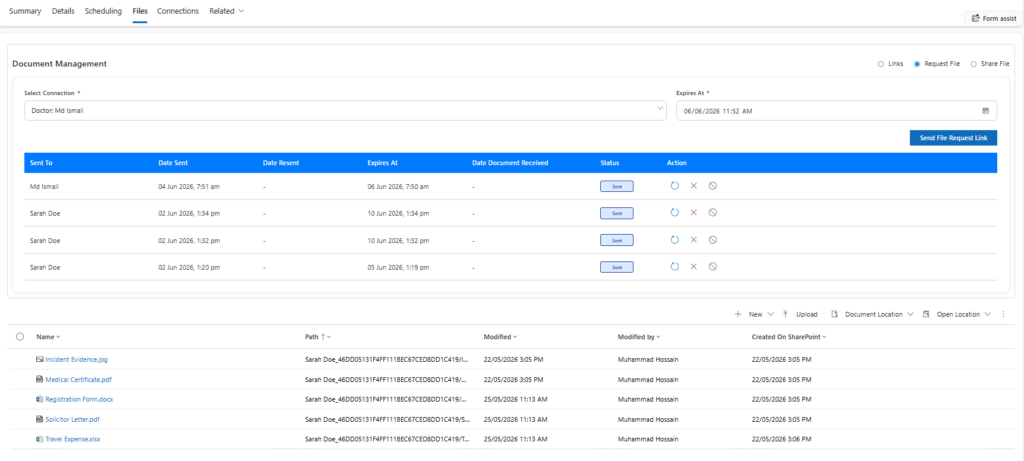
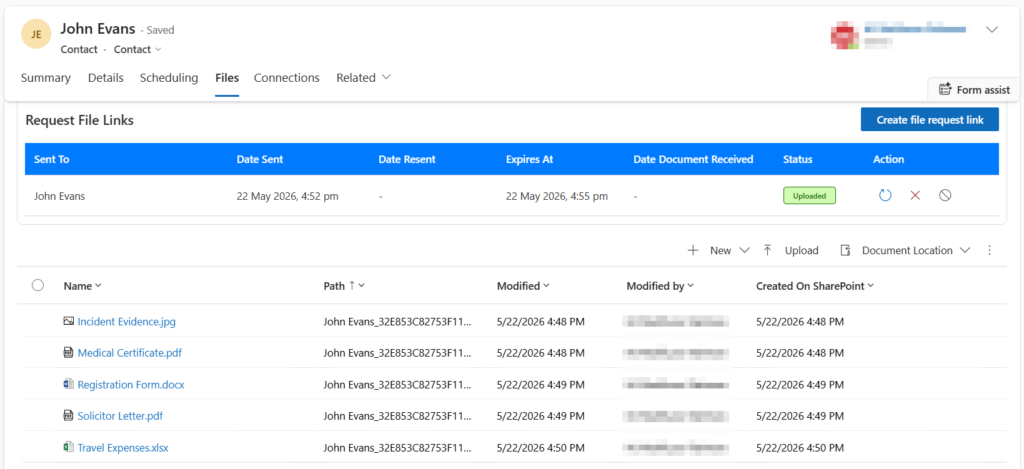
User Dashboard Uploaded Files
Secure Anonymous Document Sharing Without User Accounts
External recipients can anonymously but securely access documents using unique encrypted links sent via email or SMS.
Instead of requiring portal registrations or Microsoft accounts, users simply:
Receive a secure link
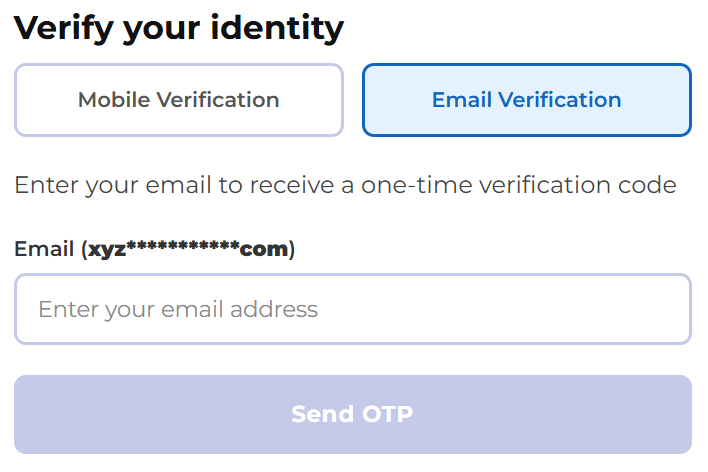
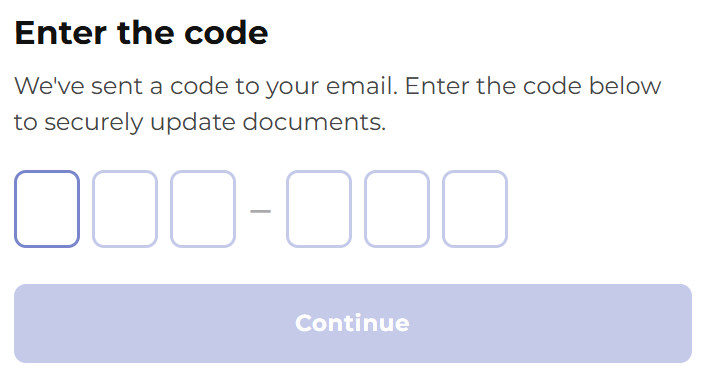
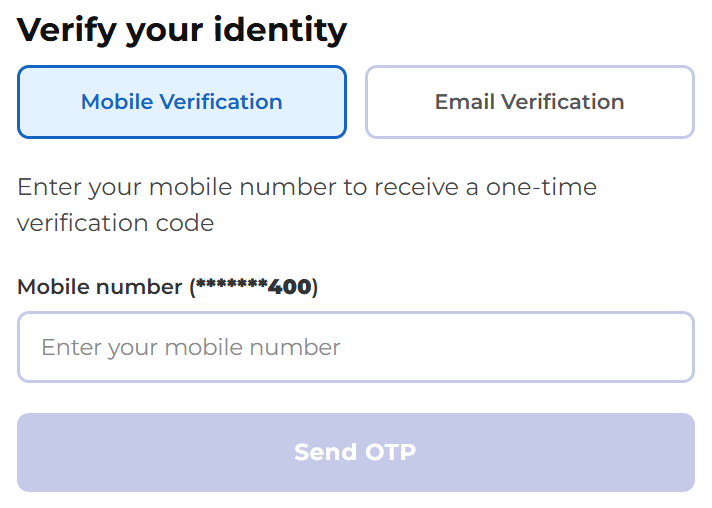
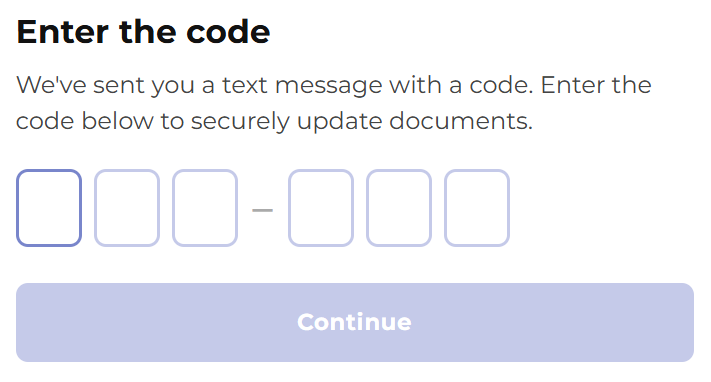
Verify their identity using SMS or email verification
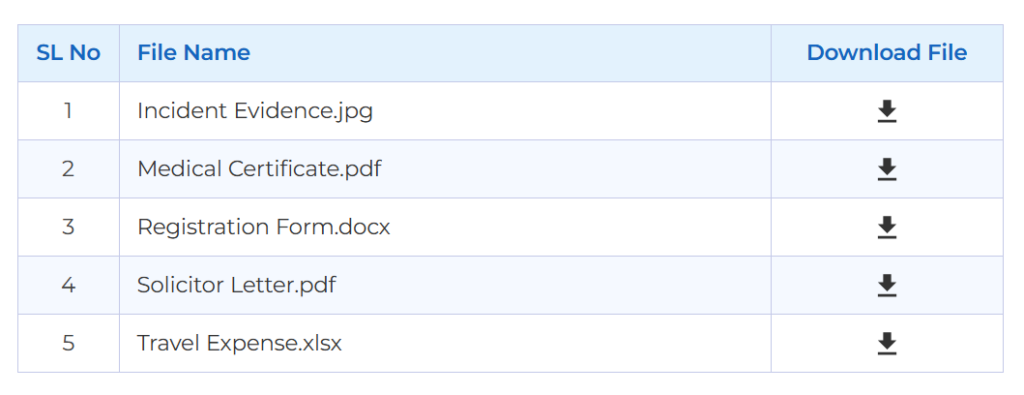
Upload or download documents securely
This approach significantly improves user experience while maintaining strong security controls.
Key Features of the Dynamics 365 Secure Document Gateway
Secure Upload & Download Links
Unique secured links are created from Service/Case/Account/Contact records in Dynamics 365 for external anonymous users to upload and/or view or download documents. Generate unique secure links for:
Clients
Customers
Suppliers
Contractors
Barristers or solicitors
Doctors
External clinicians or support workers
External stakeholders
Links can be:
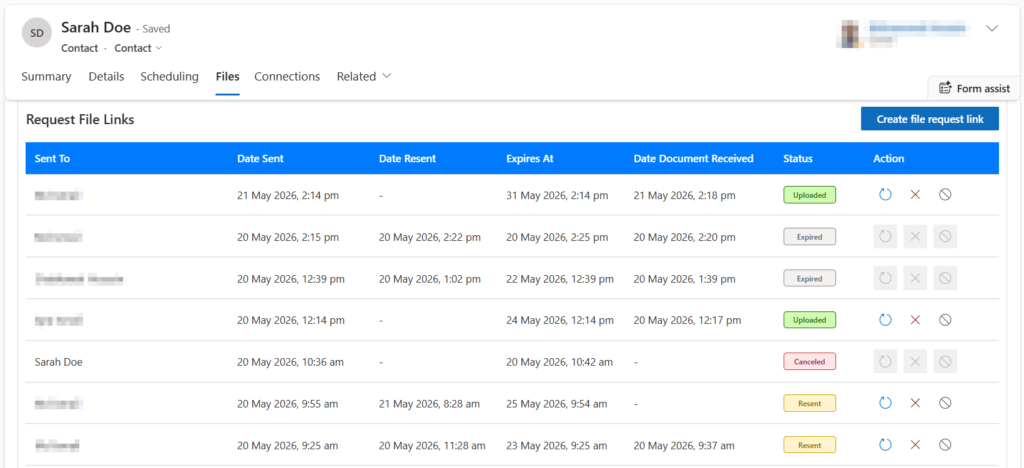
Time-limited; expiry date and time are set during creation, Dynamics 365 users can forcibly expire the link.
Cancelled manually
Resent when required
Protected with SMS/email verification
Direct SharePoint Integration
All uploaded files are securely stored within SharePoint document libraries while maintaining:
Existing folder structures
Metadata
Version history
Retention policies
Audit capabilities
Relationship with Dynamics 365 records
No duplicate document repositories are required.
Multi-File Upload Support
Users can:
Upload multiple files in one session
Upload files up to configurable size limits
View upload progress indicators
Receive upload confirmations
Supported formats include:
PDF
Word documents
Excel files
Images
ZIP files
Additional approved formats
See it in Action
User Dashboard
Email Verification
Email Verification Code
Mobile Verification
Mobile Verification Code
File Download
Secure Verification Workflow
Before accessing sensitive documents, users verify their identity using:
SMS verification codes
Email verification codes
Security controls include:
Configurable code expiry
Temporary access sessions
Access restrictions
Secure encrypted communication
Virus & Malware Protection
Uploaded documents can be automatically scanned for:
Viruses
Malware
Suspicious file activity
This helps reduce security risks before files are made available internally.
Designed for Operational Efficiency
The platform reduces the manual effort associated with:
Chasing documents through email
Managing large attachments
Manually saving files into SharePoint
Tracking document submissions
Following up on missing files
Staff can manage all activity from a central dashboard while maintaining visibility into:
Link status
Upload activity
Download history
Expiry dates
Requested documents
Benefits of Secure Document Sharing in Dynamics 365
Improved Security
Protect sensitive information with encrypted links, verification workflows, and secure SharePoint storage without breaking security inheritance and having direct links to SharePoint
Better User Experience
Provide clients and external users with a simple and modern upload experience.
Access Anonymously
Users can access documents shared with them anonymously but securely. Users do not need to have accounts with any system. They simply can access shared documents by verifying their identity through phone numbers or emails.
Reduced Manual Handling
Automate document collection and reduce administrative overhead.
Full Audit Visibility
Track uploads, downloads, timestamps, and user activity.
Centralised SharePoint Governance
Maintain existing SharePoint governance and retention controls.
Typical Use Cases
Client onboarding
NDIS providers use it for client onboarding, external support workers exchanging documents,