- 1800 72 27 28
- [email protected]
- Suite 20, 27 Hunter Street, Parramatta NSW Australia

ISO 27001 Certified

Policy Management in SharePoint
A Smarter Way to Distribute, Track, and Acknowledge Policies
Save yourselves from the complex and time-consuming process of managing policies. Our policy management solution simplifies distribution, tracking, and user compliance. With an intuitive interface and real-time tracking, your organization can ensure employees accept and adhere to policies on time, improving compliance and reducing administrative workload.
Salient Features of Policy Management in SharePoint
Dashboard for Centralized Control
Admins can manage company policies from a central repository. It increases efficiency and minimizes errors.
Admins can effortlessly:
- Create new policies and upload policy documents.
- Assign policies to specific employees, teams, or departments.
- Monitor policy acknowledgment status in real time.
- Set due dates for policy acceptance and track compliance.
Admins can effortlessly create policies and upload policy documents. They can easily assign policies to specific employees and teams. Setting due dates for policy acceptance is a useful feature to avoid manual reminders. Admins can monitor policy acknowledgement status in real time. They can track employees’ compliance with the policies

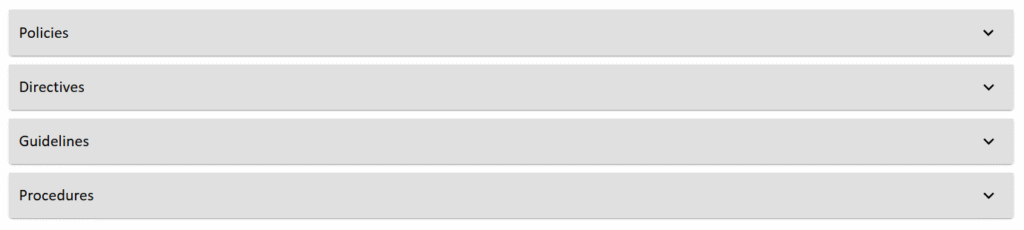
Easy User Acknowledgment & Tracking
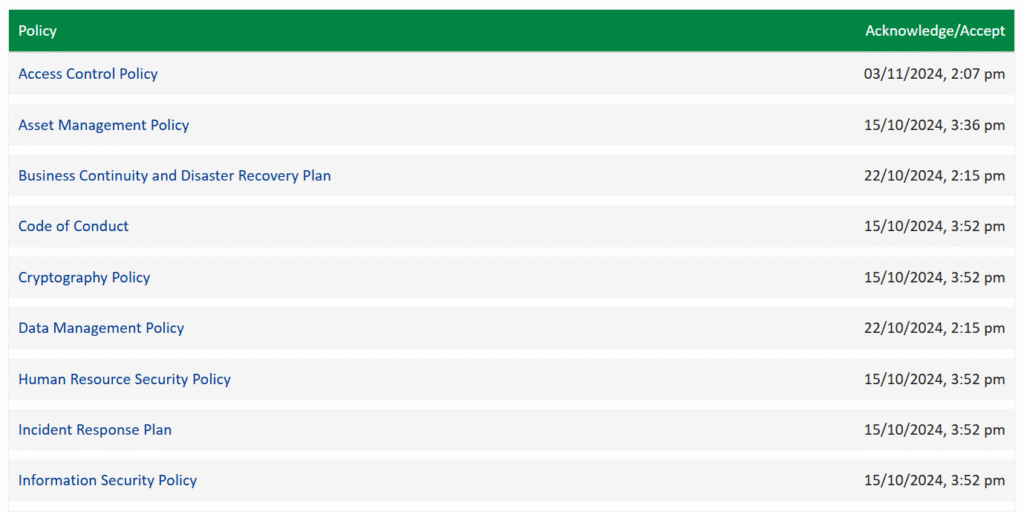
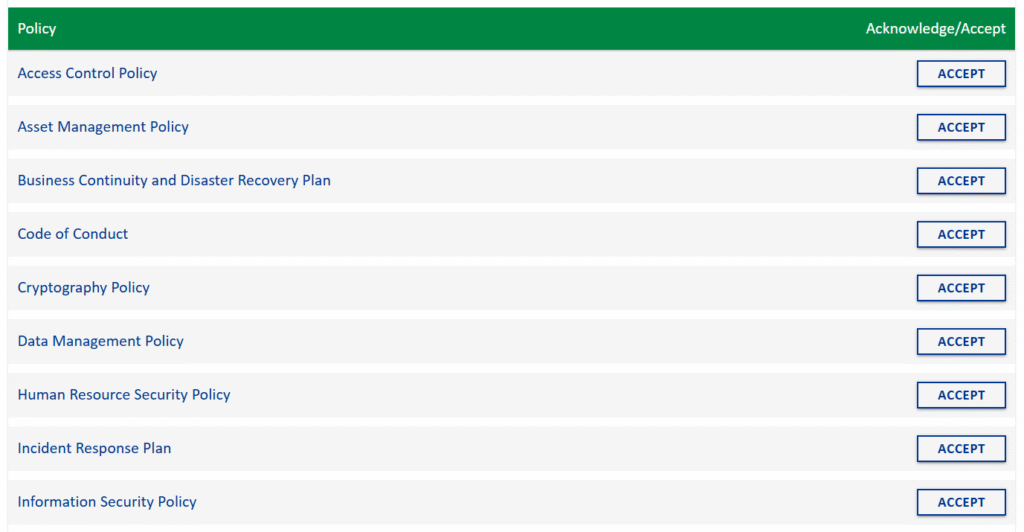
Users can easily access policies through their personal dashboard. They receive auto reminders if do not accept the policies within the stipulated time.
- Employees receive assigned policies directly through SharePoint.
- A simple "Accept" button allows users to confirm acknowledgment.
- Admins can track who has accepted policies and send reminders to those who haven’t.
Automated Due Date Tracking & Notification
Users get notified once new policies are uploaded for the users to accept within due dates. They receive further alert if they fail to accept the policy within the due date. This reduces the burden of manual reminders. Our built-in due date tracking and automated notifications ensure policies are acknowledged on time.
- Users receive reminders as the due date approaches.
- Automated alerts help administrators take timely action.
- Users get further alerts when the due date crosses past.
- Reduce compliance risks with proactive tracking.
Color-Coded Status Indicators
Users can easily distinguish between the policies that require attention and those that are already accepted or have longer due dates by looking at the policy colors.
- Green indicates policy is active and acknowledged. No further attention is required
- Yellow suggests the due date is approaching and the user needs to look out for it.
- Red being the color of the policy seeks user immediate attention.
Seamless Integration with Microsoft 365
Our policy management solution is built on SharePoint. Therefore, it enjoys numerous native features of Microsoft 365 such as security, syncing with other Microsoft 365 applications, navigational look and feel, etc.
- Works nativealy within SharePoint—no need for third-party software.
- Supports Microsoft Teams, Outlook, and OneDrive for a connected experience.
- Leverages your existing Microsoft 365 security and access controls.
Benefits of the Policy Management Solution
Improved Compliance
Ensures policies are read and acknowledged on time by users to be compliant with company.
Improved Efficiency
Saves time which otherwise would be spent on manual communication and required actions. It improves employees’ efficiency.
No Manual Work
Automates policy tracking and notifications, which in turn saves users from manual work.
Enhanced Accountability
Clear status tracking for administrators and users and actioning accordingly.
Boosts Transparency
Real-time visibility into policy compliance rates, keeping management rest assured that policies have been communicated throughout the company.
Centralized Policy Repository
All policies and procedures are stored in one secure location. Ensures everyone accesses the latest version, reducing confusion and outdated documents.
Transform the Way You Manage Policies!
No more manual follow-ups or missing acknowledgments. With our modern policy management solution, your organization can streamline compliance, reduce risk, and improve efficiency – all within SharePoint.